How Does It Handle Real-World Workloads?
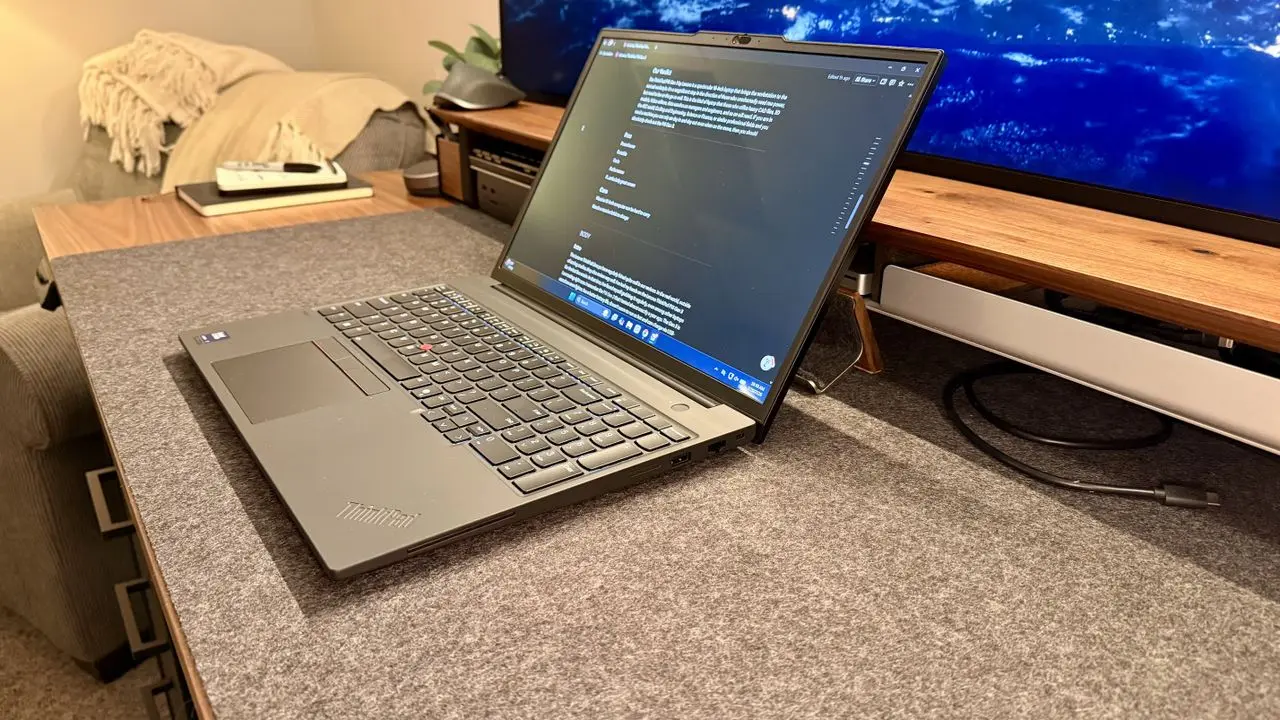
Lenovo’s ThinkPad P16s Gen 4 arrives as a surprisingly thin and lightweight mobile workstation, defying expectations for a 16-inch machine built to handle demanding professional tasks. Despite its slim profile, it packs a professional-grade GPU and robust internals, targeting engineers, designers, and data scientists who need portability without sacrificing performance. The device continues Lenovo’s tradition of durable ThinkPad design while pushing the boundaries of what a slim workstation can achieve.
Breaking news
 Town AI Secures $108 Million Series B, Valued at $1 Billion After $55 M Pre‑Series
 Apple Prepares for Major Product Launch Event on October 28
 Apple Releases Release Candidates for watchOS, tvOS and visionOS 27.2
 Apple Limits iPhone Duo and iPhone 18 Pro Max to Reservation-Only Sales in Japan and South Korea
The P16s Gen 4 features Intel’s latest processors and NVIDIA RTX professional graphics, enabling smooth operation in CAD software, 3D modeling, and AI development environments. Lenovo emphasizes thermal efficiency and power management to maintain performance in a chassis that weighs significantly less than traditional mobile workstations. This balance of power and portability addresses a long-standing gap in the market for professionals who travel frequently but still require desktop-level capabilities.
What Trade-Offs Come With the Slim Design?
In testing, the workstation handled complex assemblies in SolidWorks and rendered scenes in Blender without noticeable lag, thanks to its dedicated GPU and ample memory bandwidth. AI frameworks like TensorFlow and PyTorch ran efficiently, benefiting from GPU acceleration and optimized drivers. Users reported smooth multitasking between resource-heavy applications, a critical factor for workflows involving simulation, rendering, and data analysis simultaneously. The keyboard, a hallmark of ThinkPad usability, remained comfortable during extended sessions, while the display offered accurate color reproduction vital for design work.
While the thin form factor enhances mobility, it limits upgradeability compared to bulkier counterparts, with soldered memory and restricted access to internal components. Battery life, though respectable for its class, falls short of ultrabooks due to the power demands of the GPU and CPU under load. Lenovo mitigates this with rapid charging technology, but users expecting all-day unplugged use may need to plan around access to outlets. The premium pricing reflects the professional components, positioning it above consumer laptops but in line with other mobile workstations offering similar specs.
Is the ThinkPad P16s Gen 4 suitable for machine learning tasks? Yes, its NVIDIA RTX GPU supports CUDA and AI frameworks, making it capable of handling moderate to heavy machine learning workloads, especially for model training and inference in professional settings.
Frequently Asked Questions
Can the RAM or storage be upgraded after purchase? Memory is soldered onto the motherboard and cannot be upgraded, but storage uses accessible M.2 slots, allowing users to add or replace SSDs as needed.
Does it support external monitors for multi-screen setups? Yes, the laptop includes multiple Thunderbolt 4 and HDMI ports, enabling connections to up to four external 4K displays depending on configuration and bandwidth availability.