Why Local Processing Changes the User Experience
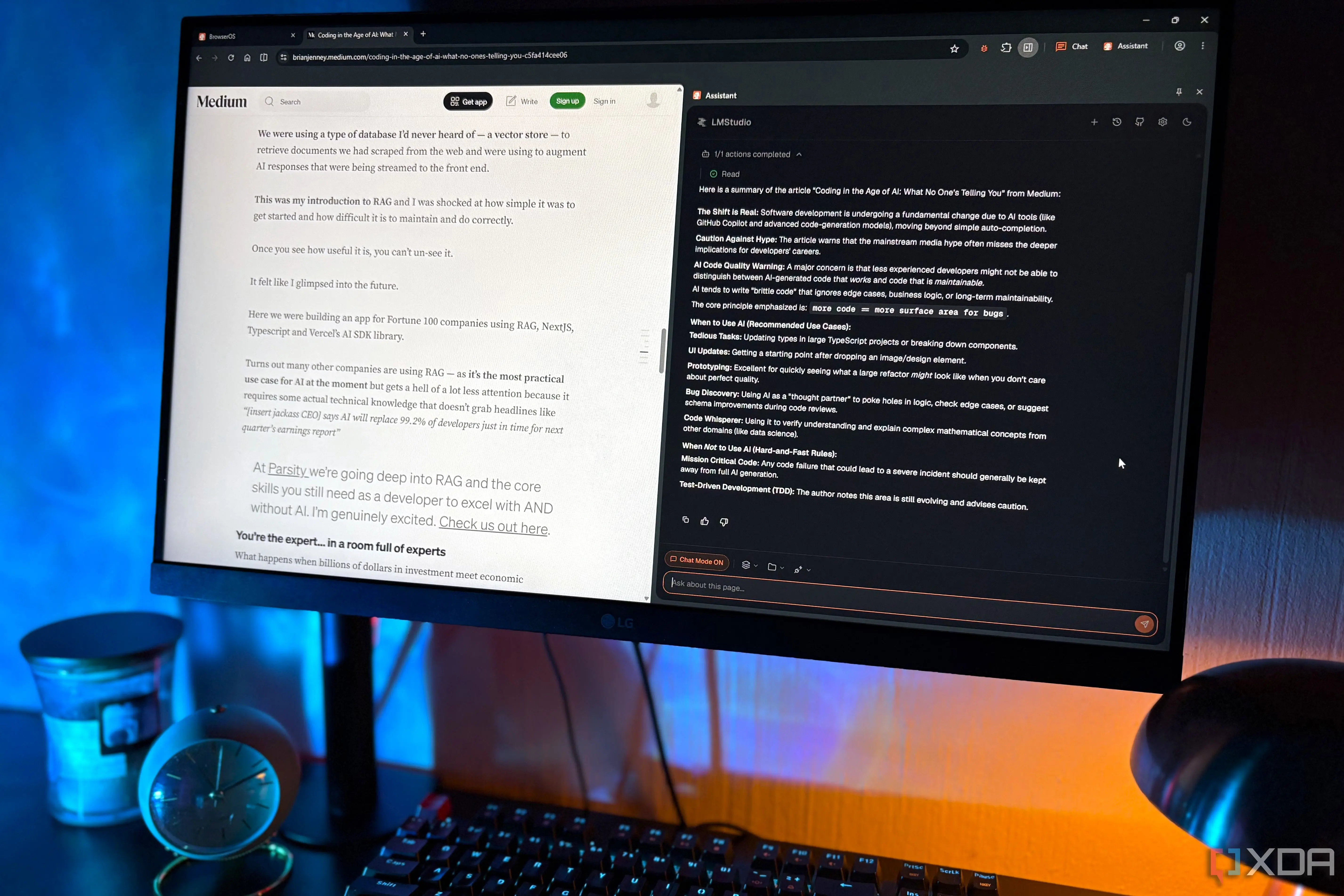
A new wave of tech enthusiasts is connecting artificial intelligence browsers directly to local large language models. This shift removes the need for constant internet connectivity and cloud processing. The move addresses long-standing concerns about data privacy and performance latency. Users report that this setup significantly improves their daily browsing experience. The trend highlights a growing preference for hardware-based computation over remote servers.
Breaking news
 Town AI Secures $108 Million Series B, Valued at $1 Billion After $55 M Pre‑Series
 Apple Prepares for Major Product Launch Event on October 28
 Apple Releases Release Candidates for watchOS, tvOS and visionOS 27.2
 Apple Limits iPhone Duo and iPhone 18 Pro Max to Reservation-Only Sales in Japan and South Korea
The core issue with traditional AI browsers is their reliance on external servers. Every prompt sends user data to distant data centers for analysis. This process creates potential vulnerabilities and slows down response times. By running the model locally, the browser handles queries on the device itself. No information leaves the computer unless explicitly requested by the user. This change eliminates the phone homebehavior that many users dislike. It allows for a more seamless and secure interaction with web content.
Does Running AI Locally Actually Save Bandwidth?
Running an LLM locally requires specific hardware capabilities. Most modern laptops and desktops now possess sufficient processing power. Graphics cards play a crucial role in accelerating these calculations. Users must ensure their systems meet minimum requirements for smooth operation. The benefit is immediate feedback without waiting for network round-trips. Privacy advocates have championed this approach for years. They argue that keeping data on-device reduces the attack surface. Critics note that local models are often smaller than their cloud counterparts. However, recent advancements have closed much of the performance gap. The trade-off between model size and speed is becoming easier to manage.
Yes, local processing drastically reduces bandwidth consumption. Traditional AI browsers upload context and download responses constantly. This consumes significant data, especially on mobile connections. With a local model, the heavy lifting happens internally. Only necessary web page elements are loaded from the internet. This results in lower data usage and faster page loads. Users on metered plans or slow connections benefit most. The reduction in network traffic also lowers server costs for providers. It makes AI features more accessible to a broader audience. The efficiency gains extend beyond just speed. They include energy savings from reduced data transmission.
The adoption of local AI browsers signals a broader industry shift. Developers are prioritizing edge computing solutions. This trend may reshape how we think about privacy standards. As hardware becomes more powerful, local models will improve further. We can expect tighter integration between operating systems and AI tools. The future likely involves hybrid approaches that balance local and cloud resources. For now, the local-first model offers a compelling solution. It addresses the biggest pain points of current AI browsing. Users gain control over their data and workflow. This development marks a significant step toward decentralized computing.
Frequently Asked Questions
Do I need a powerful computer to run local AI? Most modern devices with dedicated graphics cards can handle basic local models. High-end systems allow for larger, more capable language models. Check specific system requirements before installing software.
Is local AI completely private? It is significantly more private because data stays on your device. However, the browser still needs internet access to load web pages. Your prompts and interactions remain local unless you share them.