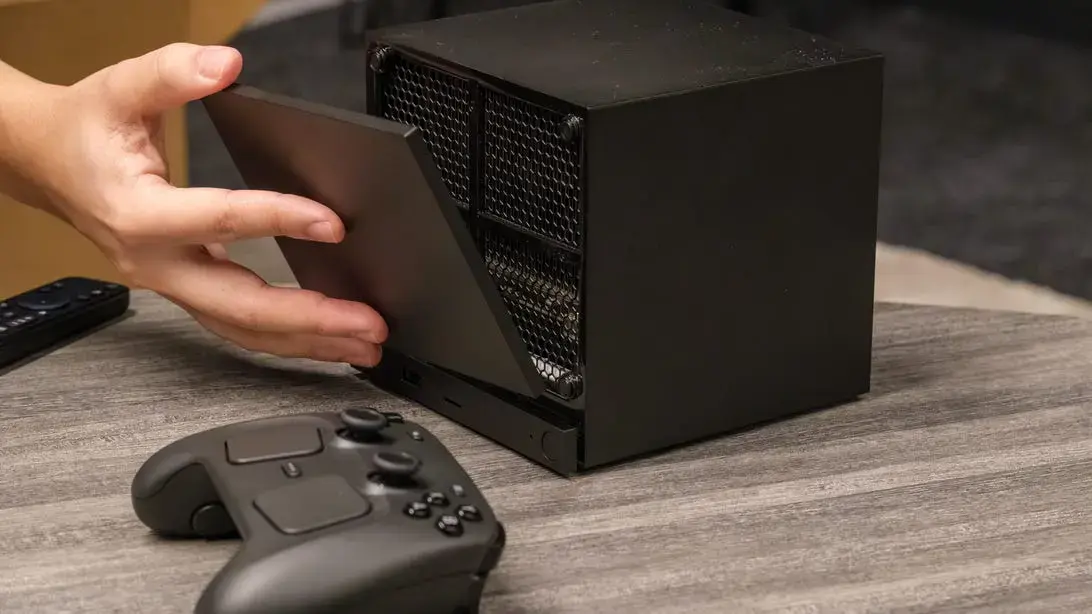
From Desktop to Couch: The Conversion Process
A tech enthusiast in Austin transformed his aging desktop into a console‑style gaming rig last month. The project required no extra hardware purchases and was completed over a weekend. The result is a sleek, living‑room‑ready system that runs Valve’s SteamOS and accesses the full Steam library.
Breaking news
 Canonical’s Web Presence Hit by Second DDoS Assault This Year
 Loops AI Secures $3.5 Million to Power a New AI Operating System for E‑Commerce
 Winverse AI Secures Tens of Millions in Seed Funding from DeepSeek and Long‑Z
 Google Adds Pixel 9 Series to Certified Refurbished Store
Valve’s Steam Machine promised a console experience for PC gamers, but the official bundles start at $1,049, a price many consider steep for a pre‑built box. Critics argue the cost undermines the appeal of a „plug‑and‑play” console. Determined to avoid that expense, the author explored whether a standard PC could be re‑engineered to deliver the same experience without spending a dime beyond a few cables.
The first step was installing SteamOS, the Linux‑based operating system Valve designed for the Steam Machine. The author downloaded the ISO image, created a bootable USB drive, and performed a clean install on the existing hard drive. After the OS loaded, he configured the controller support, enabling an Xbox 360 gamepad to work out of the box. Next, he connected the PC to his TV via HDMI, adjusting the display settings for 1080p resolution and enabling overscan to fill the screen. Finally, he set the system to launch Steam in Big Picture mode automatically, turning the desktop into a full‑screen gaming interface. The entire workflow took roughly six hours, and the hardware cost remained zero because the PC already owned the necessary components.
Can You Skip the Official Steam Machine Price Tag?
The DIY approach offers several advantages over buying a factory‑built Steam Machine. First, it eliminates the markup that comes with brand‑name hardware, saving over $1,000 for most consumers. Second, users retain full control over upgrades, swapping out graphics cards or adding SSDs as needed. However, the method also has drawbacks. Valve’s official units include a custom chassis designed for living‑room aesthetics, whereas a repurposed PC may look more like a traditional tower. Additionally, official machines receive a warranty and technical support that a self‑built system lacks. For many hobbyists, the trade‑off between cost and convenience leans toward the DIY route, especially when they already possess a capable PC.
The success of this conversion suggests that the Steam Machine concept may thrive more as a software platform than a hardware product. As more gamers seek affordable alternatives, Valve could see increased adoption of SteamOS on existing PCs. Future updates to the OS may further streamline the setup process, making it even easier for non‑technical users to create their own console‑style rigs. Until then, enthusiasts will continue to experiment, proving that high‑end gaming can be achieved without a premium price tag.
Frequently Asked Questions
Do I need a powerful graphics card to run SteamOS? SteamOS runs on modest hardware, but a decent GPU improves performance in modern titles. Even older cards can handle many games at 1080p.
Will my PC work with a TV remote instead of a controller? SteamOS supports remote control via HDMI‑CEC, but a gamepad offers the most responsive experience for most games.
Is the DIY Steam Machine as stable as the official version? Stability depends on driver support and hardware compatibility. Most users report smooth operation after configuring the correct drivers and updates.
