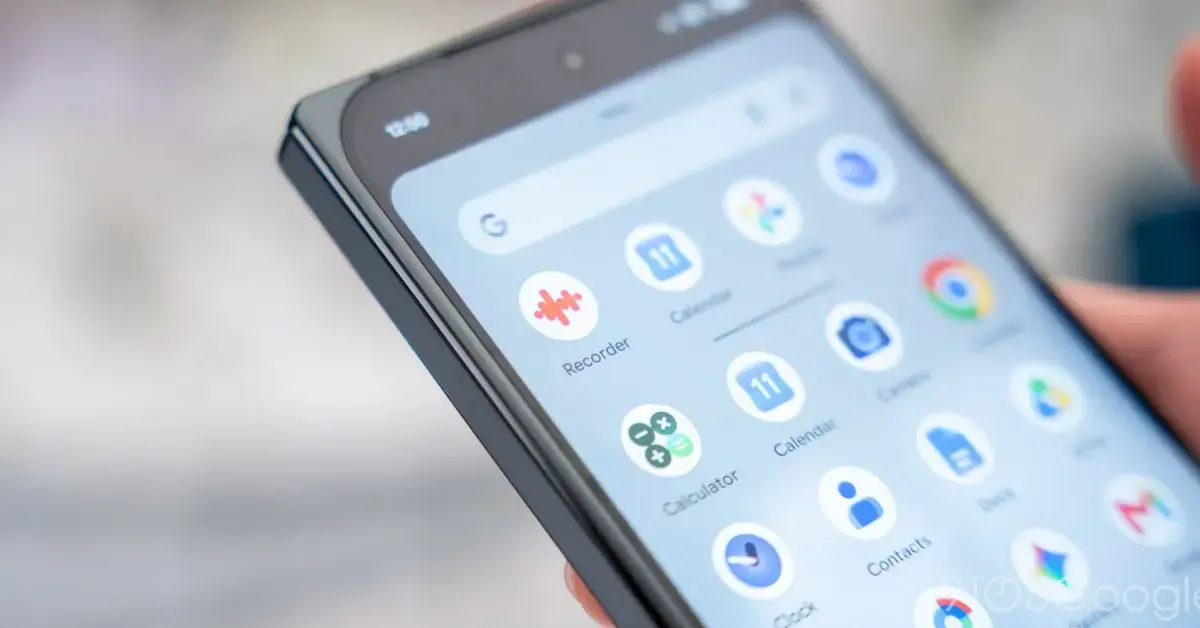
How the New Clock Icon Matches Pixel Watch Aesthetics
Google Clock has been updated with a new icon design released alongside the Pixel 11 smartphone launch. The redesign is available to all Android users, not limited to Pixel devices. At the same time, the Pixel Magnifier app also received an icon refresh. Both changes were introduced through recent app updates distributed via the Google Play Store. The updates reflect Google’s ongoing effort to align app icons with the visual language of its newer hardware.
Breaking news
 Nvidia Posts Record Quarterly Revenue Amid Unprecedented Growth
 Nvidia Eyes $13 Billion Acquisition of Hugging Face
 Essential ChatGPT Plugins for Daily Productivity
 Google Keep’s Find in Note Feature Now Available to All Android Users
The new Google Clock icon draws inspiration from Pixel Watch faces, featuring thick pill-shaped elements to represent the hour and minute hands. It uses a blue face with a subtle gradient effect, though the design no longer extends to the very edges of the icon. This marks a shift from the previous flat, circular style with simpler hands. The Pixel Magnifier icon now features a magnifying glass overlaid on a colored background, adopting a more consistent look with other Pixel-exclusive utilities. These changes are part of a broader refresh of system app icons tied to the Pixel 11 series release.
Why Update Icons Now With the Pixel 11 Release
The redesign of the Google Clock icon closely mirrors the appearance of watch faces found on the Pixel Watch lineup. By using thick, rounded pill shapes for the clock hands, Google creates a visual link between its wearable interface and core Android apps. The blue gradient face adds depth without overwhelming the minimalist layout. This approach ensures consistency across Google’s ecosystem, especially as more users interact with both phones and wearables. The icon avoids edge-to-edge filling to maintain clarity at smaller sizes, a common consideration in adaptive icon design.
Google often times app icon updates to coincide with major hardware launches, using the moment to refresh its visual identity. The Pixel 11 release provided a natural opportunity to align system apps like Clock and Magnifier with the new device’s design language. These updates are not functionally significant but contribute to a cohesive user experience across devices. By updating widely used apps such as Clock, Google ensures the new look reaches a broad audience quickly. The changes also signal ongoing attention to detail in the Android user interface, even for utility-focused applications.
What Does This Mean for Future App Design Updates
These icon changes suggest Google may continue refining the appearance of its core apps to match evolving hardware aesthetics. As Pixel devices influence design trends within the Android ecosystem, other system apps could see similar updates in future releases. Consistency across phones, watches, and tablets remains a key goal for Google’s design team. Users may expect further refinements to apps like Calculator, Voice Recorder, or Calendar in upcoming updates. The focus appears to be on subtle, cohesive improvements rather than overhauls.
Is the new Google Clock icon available on non-Pixel Android devices? Yes, the updated Google Clock icon is available to all Android users through the Play Store update, regardless of device manufacturer.
Frequently Asked Questions
Does the Pixel Magnifier icon change affect the app’s functionality? No, the icon update for Pixel Magnifier is purely visual and does not alter any features or performance of the app.
Will other Google apps receive similar icon updates in the future? While not confirmed, Google has a history of refreshing app icons alongside major releases, so further updates are possible.