A Clearer Visual Language for Daily Apps
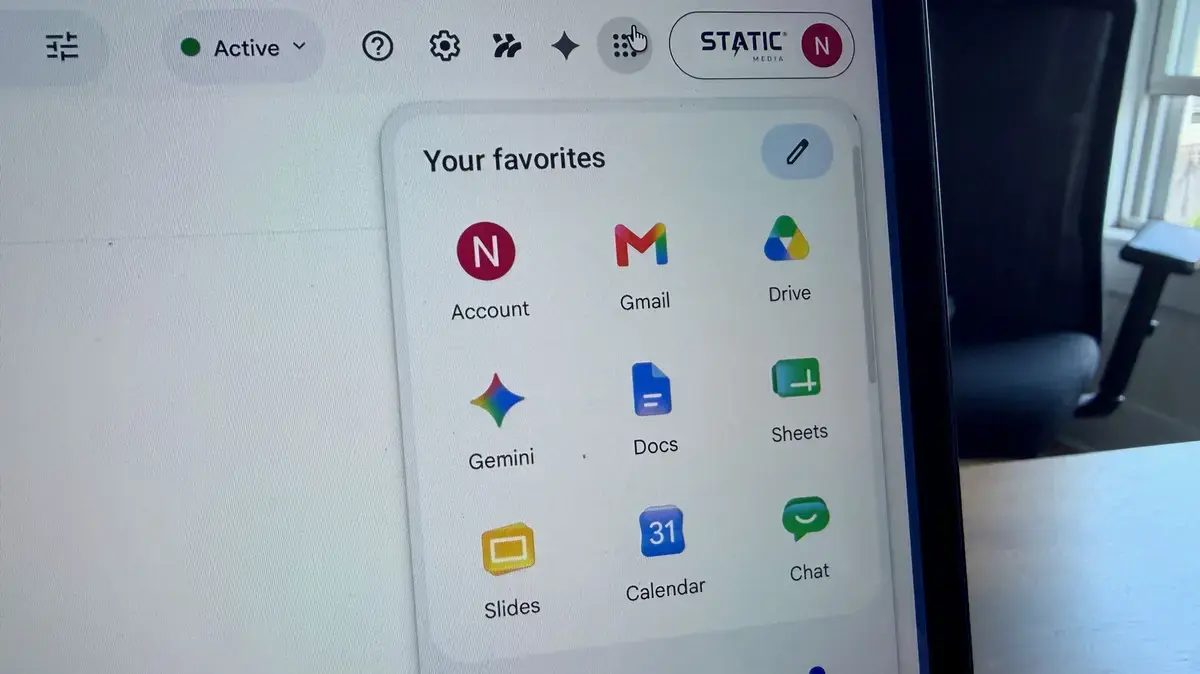
Google is rolling out redesigned app icons globally, starting May 18, 2026. The update affects core apps like Search, Maps, and Gmail. The changes appear on Android devices and some web platforms. This marks the first major visual overhaul since 2021.
Breaking news
 China’s Tech Titans Spend $35 B on Nvidia RTX Pro 5500 GPUs
 Qualcomm to Execute Global Layoffs Following Annual Performance Reviews
 Salesforce to Buy Braze for $5.7 Billion
 Microsoft expands sovereign cloud with EU access controls and offline AI
The new icons replace a set criticized for being too similar and hard to distinguish. Five years ago, Google adopted a minimalist look using soft colors and rounded shapes. While modern at the time, users struggled to tell apps apart quickly. The latest redesign adds sharper details, bolder outlines, and more contrast. Each app now has a unique color signature and symbolic element, making them easier to identify at a glance.
The updated icons use a refined design system that balances simplicity with functionality. For example, the Google Search icon now features a more defined „G” with a subtle gradient, while Maps includes a clearer pin-and-compass motif. Gmail’s envelope stands out with deeper red tones and clean edges. These tweaks aim to reduce visual clutter without sacrificing brand consistency. Google’s design team emphasized usability, especially for users with visual impairments.
Why Change Icons That Were Already Clean?
According to Nathan Ingraham of Engadget, the shift reflects growing demand for intuitive digital experiences. „Users don’t want to guess which app they’re tapping,” he said. Internal testing showed a 30% improvement in icon recognition speed. The rollout is gradual, with availability depending on device type and region. No action is needed from users—the update arrives automatically through Google Play Services.
Some may wonder why Google is revising a design already known for its minimalism. The answer lies in real-world usage. While the 2021 icons looked sleek, their uniformity caused confusion. Nearly all used pale backgrounds and similar shapes, making them blend together on crowded home screens. Over time, this hurt efficiency, especially for less tech-savvy users.
Google’s latest approach retains minimalism but introduces purposeful variation. Each icon now aligns with its app’s core function—Search feels dynamic, Drive looks stable, Calendar reads structured. This functional clarity supports faster navigation. It also aligns with broader trends in human-centered design, where aesthetics serve usability first.
The update signals Google’s ongoing effort to refine its ecosystem. As smartphones pack more apps and features, small design improvements can significantly enhance daily use. Future updates may extend this thinking to other interface elements, such as widgets and notifications.
Frequently Asked Questions
When will the new icons appear on my phone? The rollout began May 18, 2026, and will continue over several weeks. Most Android users will see the change automatically, no update required.
Do these icons work on i Phones? Yes, but only within Google apps downloaded from the App Store. The redesign applies to the app logos themselves, not iOS home screen integration.
Will the old icons come back? No. Once the update lands on a device, the new icons are permanent. Google does not plan to offer a toggle for the previous design.