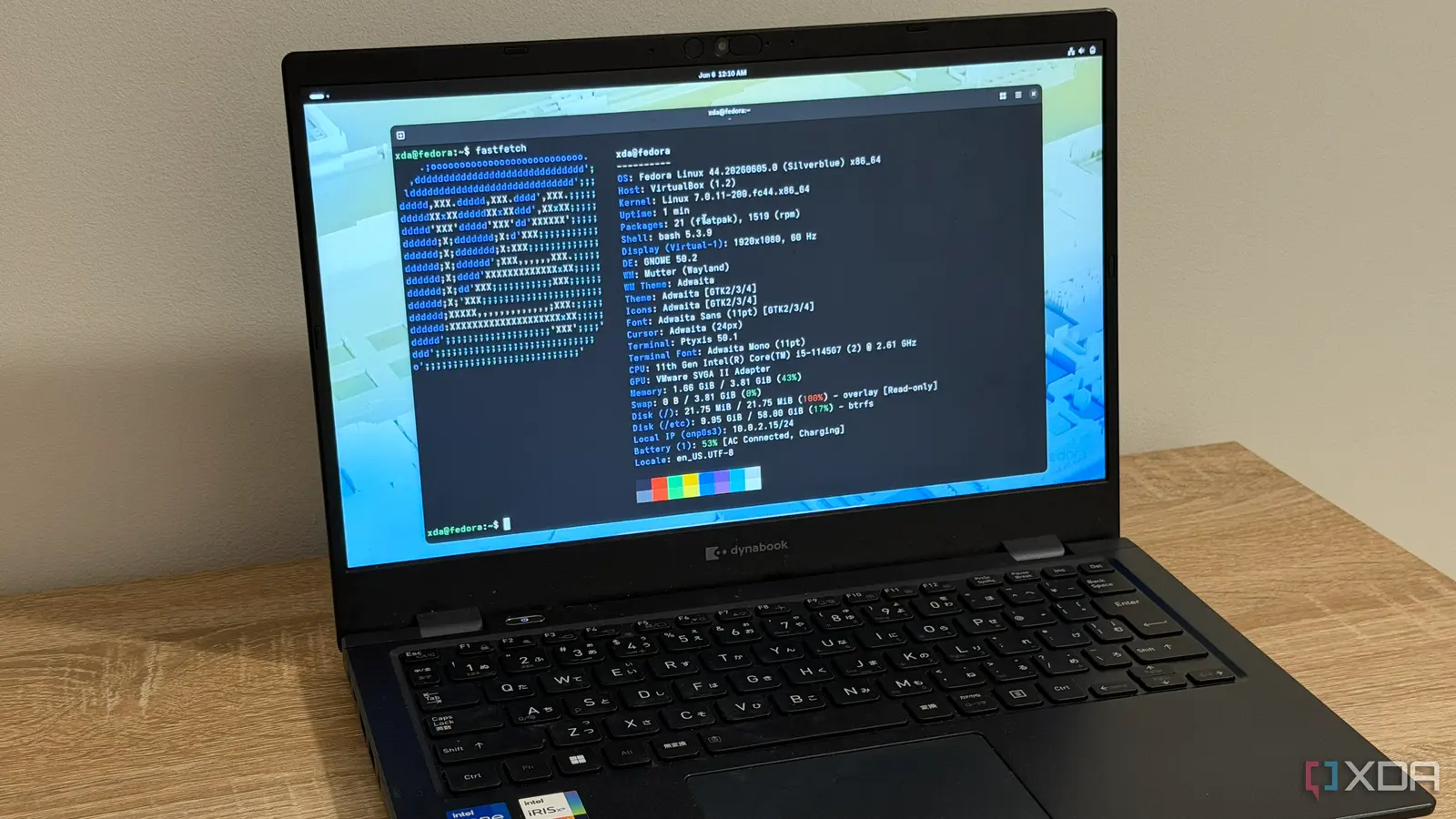
How Atomic Updates Changed My Workflow
After spending 30 days testing Fedora Silverblue, an immutable Linux distribution, my initial skepticism about its practicality has completely shifted. What seemed like unnecessary restrictions on paper turned out to be surprisingly beneficial in daily use, changing my perspective on system stability and update reliability.
Breaking news
 Town AI Secures $108 Million Series B, Valued at $1 Billion After $55 M Pre‑Series
 Apple Prepares for Major Product Launch Event on October 28
 Apple Releases Release Candidates for watchOS, tvOS and visionOS 27.2
 Apple Limits iPhone Duo and iPhone 18 Pro Max to Reservation-Only Sales in Japan and South Korea
The core concept behind Silverblue involves treating the operating system as a read-only image, similar to how containerized applications work. Instead of traditional package managers that modify system files directly, Silverblue uses OSTree technology to create atomic updates. This means system changes happen in complete snapshots, allowing instant rollback if something goes wrong. During my trial, I encountered a problematic graphics driver update that would have required hours of troubleshooting on a conventional distro. With Silverblue, I simply rebooted into the previous system snapshot and was back to work in under two minutes.
The most significant advantage I discovered was the psychological shift in approaching system maintenance. Knowing that any failed update could be reversed instantly removed the anxiety typically associated with upgrading critical system components. I began experimenting with newer kernel versions and development tools that I would have avoided on my regular setup. The ability to create and switch between different system images also proved useful for testing software in isolated environments without needing virtual machines or containers.
What Happens When You Need Traditional Package Management?
While Silverblue discourages direct system modifications, it doesn't eliminate the need for additional software entirely. Users can install applications through Flatpak, which integrates seamlessly with the immutable base system. For tools requiring deeper system access, Silverblue provides toolbx containers that offer traditional Linux environments without compromising the host system's integrity. This hybrid approach maintains security benefits while preserving flexibility for developers and power users who need specific configurations.
The experience revealed that what initially appeared as limitations were actually thoughtful design choices preventing common sources of system instability. By separating the core OS from user applications and providing safe mechanisms for both, Silverblue achieves a balance that traditional Linux distributions often struggle to maintain. My month-long test transformed theoretical concerns into practical appreciation for a different approach to operating system management.
Frequently Asked Questions
How does Silverblue handle system updates compared to traditional Linux distributions? Silverblue uses atomic updates through OSTree, creating complete system snapshots that can be instantly rolled back if needed, unlike traditional package managers that modify files directly and risk leaving systems in inconsistent states.
Can I still install proprietary drivers or kernel modules on Silverblue? Yes, while the base system remains immutable, users can install kernel modules and drivers through RPM Fusion repositories or by using toolbx containers for development work, maintaining system stability while accessing necessary hardware support.
What happens to my personal files and configurations when using Silverblue? Personal files in the home directory and configurations in user-specific locations remain fully accessible and modifiable, as only the core operating system files are treated as immutable, preserving user data integrity across system updates and rollbacks.

