How a Simple Change Led to Data Loss
A user recently discovered a significant flaw in their file management strategy. For two years, Windows 11's Storage Sense feature was quietly removing essential files. This happened because of a change in how the user handled their downloaded content.
Breaking news
 Canonical’s Web Presence Hit by Second DDoS Assault This Year
 Loops AI Secures $3.5 Million to Power a New AI Operating System for E‑Commerce
 Winverse AI Secures Tens of Millions in Seed Funding from DeepSeek and Long‑Z
 Google Adds Pixel 9 Series to Certified Refurbished Store
The problem arose after the user altered their download practices. Previously, they would immediately move important downloads to a separate, permanent folder. This ensured critical documents were safe from automatic deletion.
Why Did Storage Sense Target Necessary Files?
The user eventually stopped this manual transfer process. Instead, they began leaving downloaded files in the default Downloadsfolder. This folder is typically targeted by Storage Sense for automatic cleanup.
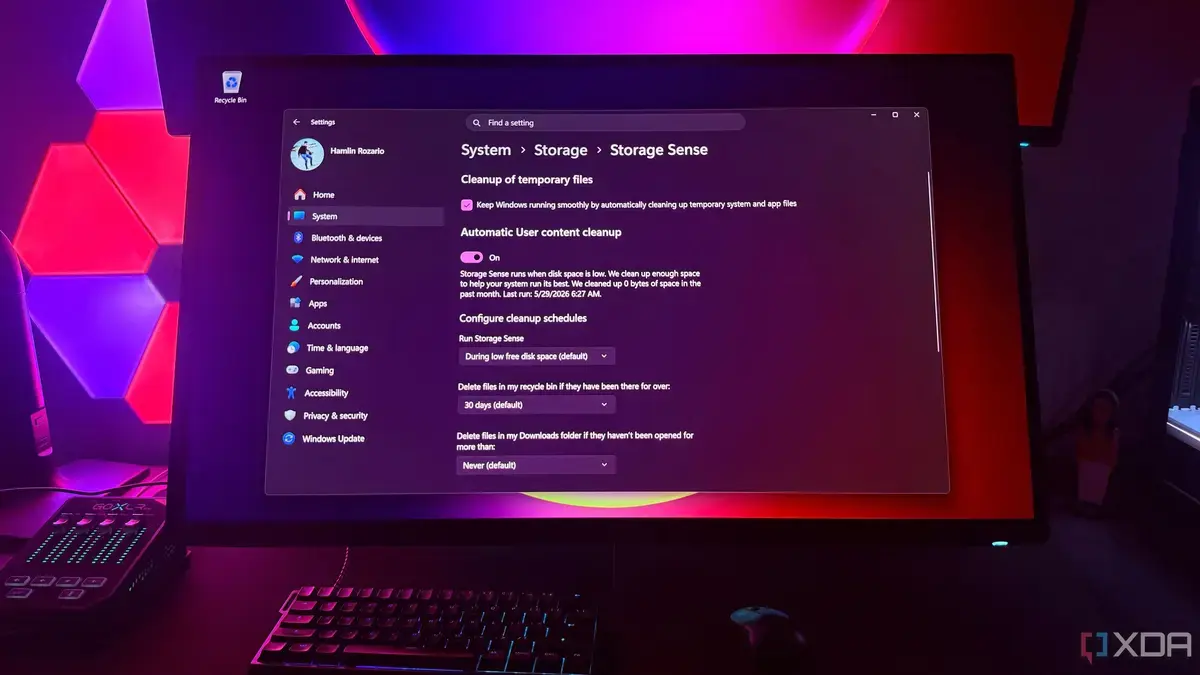
Storage Sense is designed to free up disk space by removing old, unneeded files. It identifies files that haven't been accessed recently. The user had configured Storage Sense to automatically delete files from the Downloads folder after a set period.
# What is Windows 11's Storage Sense?
The issue was not with Storage Sense itself, but with the user's workflow. By leaving important files in the Downloads folder, they became subject to the automated cleanup rules. Storage Sense, operating as intended, removed these files once they met the age criteria.
This oversight led to the loss of files the user still required. They had simply forgotten to move them to a secure location. The automatic deletion occurred without the user realizing the importance of the files in that specific folder.
# How can I prevent Storage Sense from deleting important files?
The consequence was the unexpected disappearance of valuable data. This highlights the importance of understanding how automated system tools interact with personal file management habits. Users should always be mindful of where critical files are stored, especially when using cleanup features.
Storage Sense is a built-in feature in Windows 11. It automatically frees up disk space by deleting temporary files and content in your Recycle Bin and Downloads folder.
# Is Storage Sense a dangerous feature?
Always move important downloaded files from your Downloadsfolder to a permanent, secure location. You can also adjust Storage Sense settings to exclude certain folders or change deletion schedules.
No, Storage Sense is a useful tool for managing disk space. The issue arises when users do not understand its settings or change their file management habits without adjusting the tool's configuration.
