Why Power-over-Ethernet changed my setup
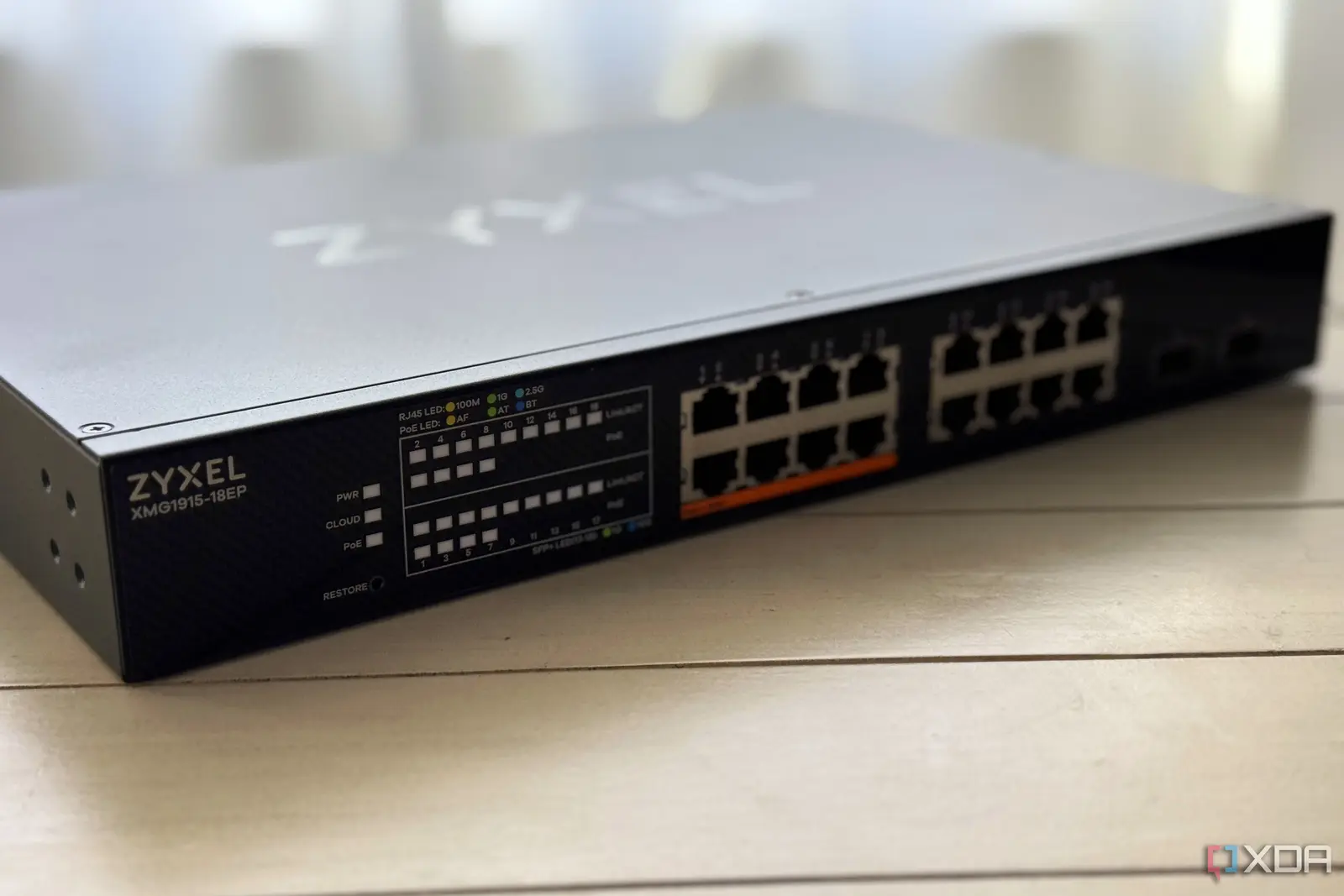
Moving to Power-over-Ethernet brought far more than just less cable clutter. When I bought my first premium network switch, I only cared about the massive transfer speeds between my home lab nodes. But after the initial 10 GbE excitement wore off, I started exploring other features on my networking companion. VLANs proved essential for my smart home space. They helped me isolate insecure IoT gadgets in a separate subnet, protecting my virtualization servers and daily systems. Then came Power-over-Ethernet support. As a beginner, I ignored this feature for a long time. But after moving into a standalone house, I quickly realized how useful PoE can be. My PoE setup reduces the number of cables I need to run through the house. It eliminates the need to find a power outlet for every device.
Breaking news
 Uber claims it alone can make robotaxis pay, hours after Waymo quit its app
 Hacker hijacked OpsShield update channel for supply-chain attack
 Berlin Fintech Pliant Closes $80M Series C to Expand AI Agent Payments
 Harvard University confirms data breach affecting 851,000 accounts
Since joining the home lab and self-hosting community, I have equipped my living space with a wide range of gadgets. Take my security camera setup, for example. Because local-only variants sell at very affordable prices, I bought a significant number of simple cameras. I connected them to my Frigate and Home Assistant servers. This gave me object detection features comparable to expensive cloud-based models, without the privacy implications. Similarly, over the past few months, I have significantly expanded my network setup with additional switches and mesh nodes. This ensures proper coverage in every room for other household members. Speaking of smart devices, I also own a series of smart doorbells, LED controllers, and presence detection units. Many of these support wired Ethernet connections. The problem? Since most of these devices require their own power adapter and Ethernet cable, I had to tolerate a large volume of cables.
My smart home device ecosystem
Worse, this includes bulky DC power blocks that I could not hide in the narrow PETG channels I made with my 3D printer.
I would not go so far as to say that switching to a PoE-based setup eliminated all cables. I still need Ethernet cables to supply both data and power to my devices. However, this useful technology definitely reduces the amount of wires strewn everywhere. I no longer need a separate set of power cables for each device. This gives me more flexibility in placing wireless access points and sensors. I no longer have to position them awkwardly next to power outlets. For me, the biggest benefit of Power-over-Ethernet for my smart home is that I no longer have to hunt for power outlets every time I want to connect a few devices. Although my home lab was equipped with a generous number of outlets in every corner, the living room, pod, and other rooms were not so well-equipped with power points.
The real benefits of PoE for smart homes
Moreover, my terrace has only one outlet near the door. This caused many problems when I wanted to install a DIY doorbell and sensors. I had already dedicated that outlet to my security camera. Without PoE, my only option was to rely on power extension cords. This would have turned my living space into a rat's nest. I would have had to run them at awkward angles or risk overloading the power cables. But now, with my PoE-based setup, I can simply use longer Cat6 cables instead of worrying about the short power cables supplied with my devices.
Using PoE safely and effectively
PoE technology is also quite easy to use, though it requires a few precautions. Unlike VLANs and other network features that I had some difficulty activating as a beginner, configuring PoE required no extra effort. When I connect the PoE-capable ports on my switch to any device, it sends a low-voltage signal to detect if the client device can handle power transmission. Once it recognizes that the gadget supports PoE functionality, it starts supplying power according to the device's power class. So, practically everything is handled by my switch. I do not have to dig through waves of menus from a web interface just to use my devices via PoE. Of course, PoE still has a few basic rules (pun intended) that I must follow. For example, I usually use Cat6 copper cables instead of cheaper copper-clad aluminum wires. Their higher electrical resistance poses a safety risk for PoE setups.
Also, not all devices in my arsenal are PoE-compatible. I always check the voltages on those that support this functionality. My PoE++ switch gets extremely hot if left alone in summer. So I usually place it at the top of my network rack, where it can receive adequate airflow. But PoE is definitely a valuable feature for most network setups. Although I exercise a reasonable amount of caution when connecting new devices to my switch's PoE++ ports, it is still a useful facility for my home. In fact, if my current switch were to fail, or if I ended up moving to a faster network stack, I would put PoE at the top of my list of requirements.