Why Build a Cyberdeck Today?
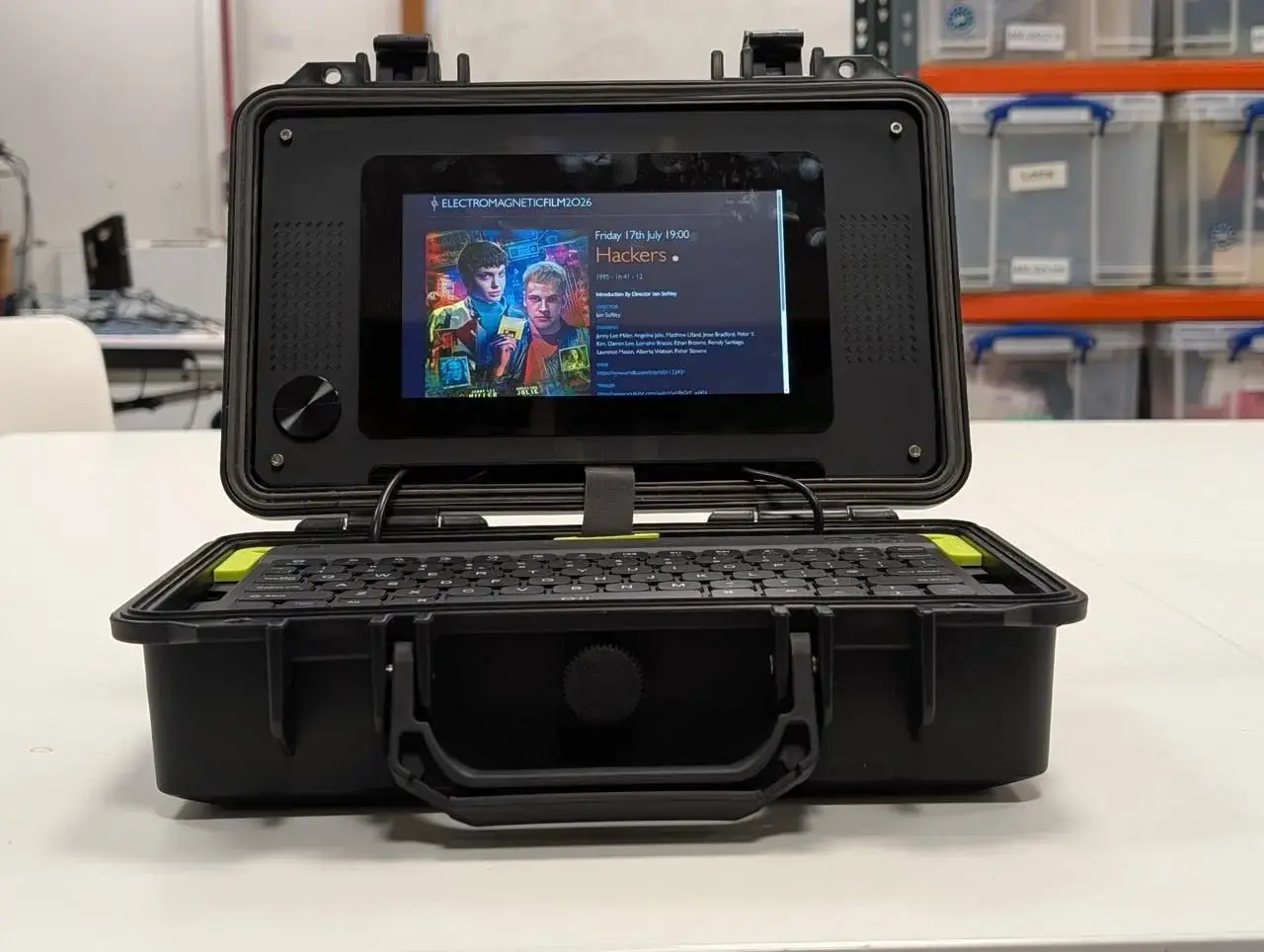
Raspberry Pi has released an official tutorial for creating a cyberdeck, a portable, custom-built computer often housed in a rugged, futuristic case. The guide was announced by Ashley Whittaker, the company's head of social media, who acknowledged the growing popularity of the cyberdeck trend among makers and tech enthusiasts. The tutorial aims to support users interested in building their own mobile computing devices using Raspberry Pi hardware.
Breaking news
 Canonical’s Web Presence Hit by Second DDoS Assault This Year
 Loops AI Secures $3.5 Million to Power a New AI Operating System for E‑Commerce
 Winverse AI Secures Tens of Millions in Seed Funding from DeepSeek and Long‑Z
 Google Adds Pixel 9 Series to Certified Refurbished Store
The cyberdeck concept blends functionality with DIY aesthetics, often featuring mechanical keyboards, small screens, and battery power for on-the-go use. Raspberry Pi's guide provides step-by-step instructions on selecting components, assembling the hardware, and configuring software for a fully operational portable system. Whittaker emphasized that the project reflects the community's creativity and the versatility of Raspberry Pi boards in real-world applications.
How Does the Guide Support Beginners?
The tutorial highlights practical uses for cyberdecks, including field programming, digital art creation, and retro gaming. Whittaker noted that builders often prioritize durability and personal expression, choosing materials like aluminum or 3D-printed enclosures. The guide recommends specific Raspberry Pi models based on performance needs, along with compatible peripherals such as GPIO-expansion boards and low-power displays. It also covers power management strategies to extend battery life during mobile use.
Recognizing that cyberdeck builds can be intimidating for newcomers, the tutorial includes troubleshooting tips and links to community forums for additional help. Whittaker explained that the goal is to lower the barrier to entry while encouraging experimentation. The guide stresses safety when handling batteries and soldering, and it encourages users to document their builds to share with others. By providing a structured approach, Raspberry Pi hopes to inspire more people to explore portable computing projects.
What skills are needed to follow the Raspberry Pi cyberdeck tutorial? Basic knowledge of electronics, soldering, and Linux command line is helpful, but the guide is designed to be accessible to beginners with detailed explanations and visual aids.
Frequently Asked Questions
Can I use any Raspberry Pi model for a cyberdeck build? While most models are compatible, the guide suggests using Raspberry Pi 4 or Pi 400 for better performance, especially when running multiple applications or driving high-resolution displays.
Is the cyberdeck tutorial free to access? Yes, the official guide is available at no cost on Raspberry Pi's website, forming part of their educational resources for makers and hobbyists.
