Beyond Basic Monitoring
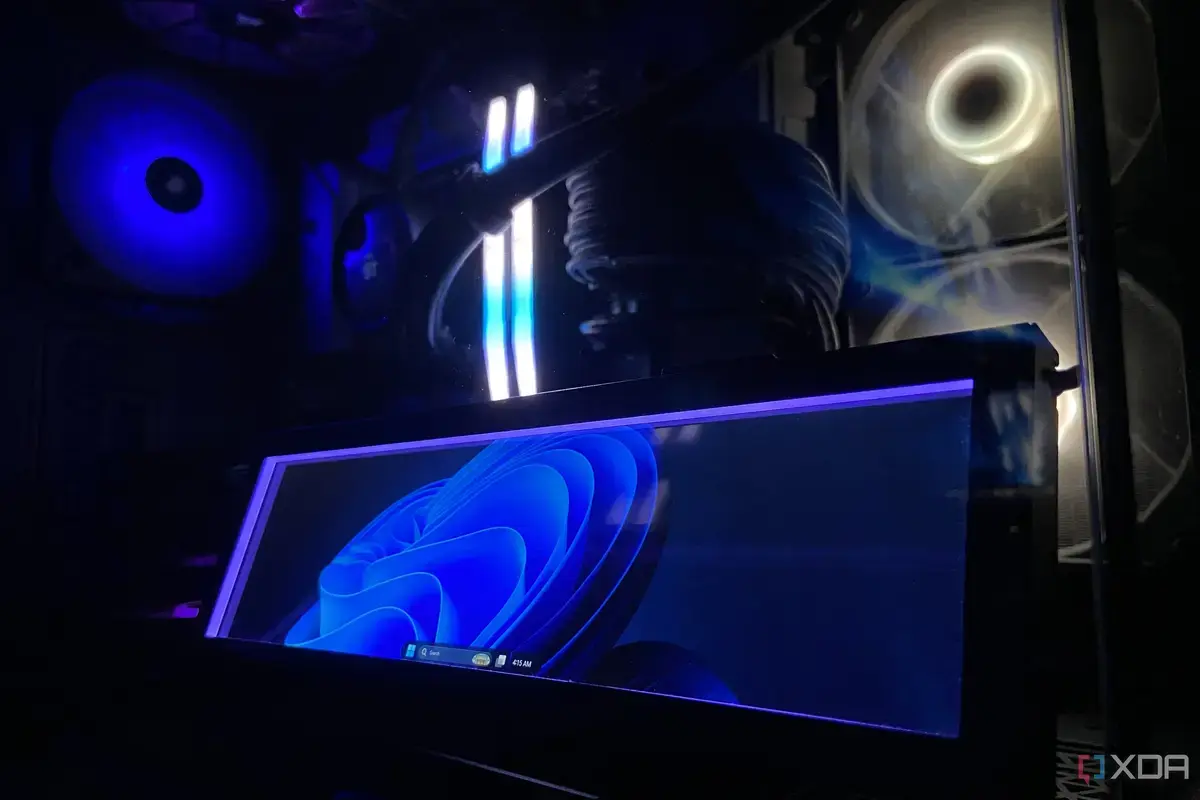
A tech enthusiast recently acquired a small USB screen, initially intending it for monitoring PC temperatures. However, the device quickly proved its versatility, transforming into a fully functional secondary display for the Windows taskbar. This unexpected capability surprised its new owner, highlighting the screen's advanced features.
Breaking news
 Canonical’s Web Presence Hit by Second DDoS Assault This Year
 Loops AI Secures $3.5 Million to Power a New AI Operating System for E‑Commerce
 Winverse AI Secures Tens of Millions in Seed Funding from DeepSeek and Long‑Z
 Google Adds Pixel 9 Series to Certified Refurbished Store
The user, a seasoned PC builder, had sought a compact solution for system diagnostics. The miniature display offered a sleek alternative to traditional, larger monitors. Its integration into the existing setup was seamless, exceeding initial expectations for a simple temperature gauge.
The device's ability to host the Windows taskbar showcased its true potential. This functionality allows for quick access to system trays, open applications, and time displays without cluttering the main monitor. It represents a significant upgrade from its intended, more limited purpose. The small screen effectively functions as a dedicated control panel, enhancing desktop organization and efficiency.
How Does a Small Screen Achieve This?
This advanced utility stems from the screen's underlying display technology. While designed for specific data readouts, its drivers and hardware support full graphical output. This enables it to act as a genuine secondary monitor, albeit a very small one. The operating system recognizes it as another display, allowing for taskbar extension or window placement.
The unexpected utility of this small USB screen offers a glimpse into future desktop customization. Users can now consider dedicated, compact displays for specific functions, decluttering their primary workspaces. This trend could lead to more specialized peripheral devices designed for niche, yet highly useful, roles in computing.
Frequently Asked Questions
What was the original purpose of the USB screen? The USB screen was originally purchased to monitor PC temperatures, providing a quick visual check on system performance without opening software.
How did the screen end up running the Windows taskbar? The user discovered that the screen's display capabilities allowed it to function as a full secondary monitor, enabling the Windows taskbar to be extended onto it.
Is this functionality difficult to set up? The setup typically involves connecting the USB screen and configuring display settings within Windows, similar to setting up any other secondary monitor.
