Building Apps Without Coding Expertise
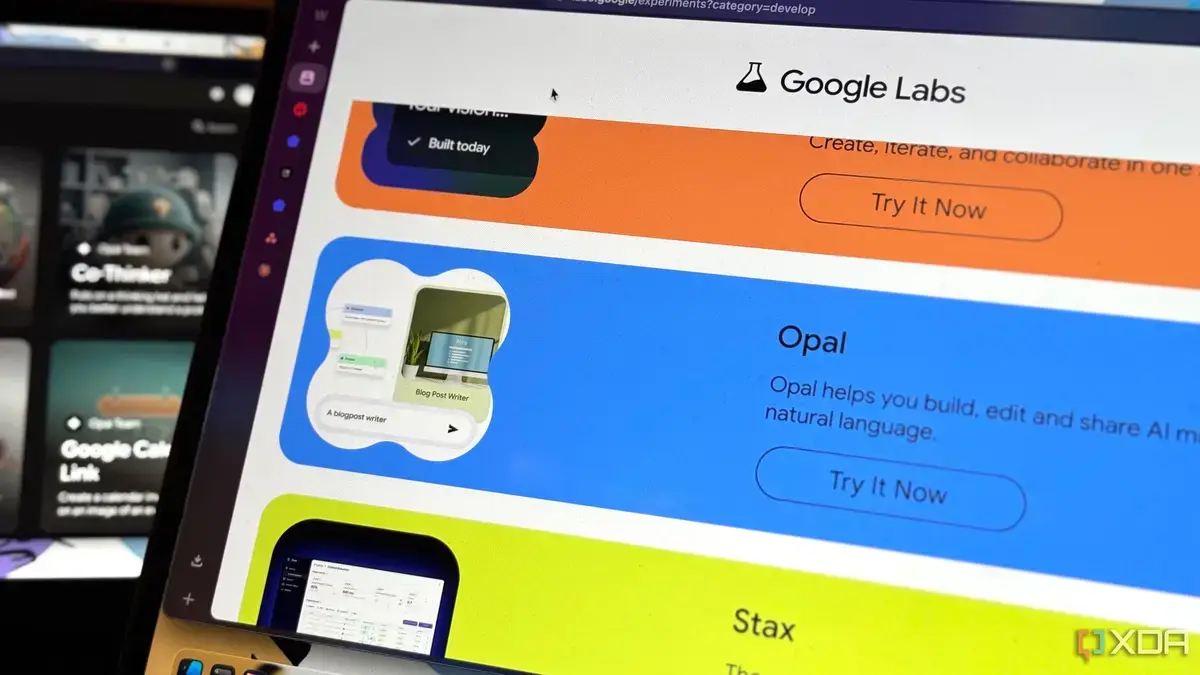
Google has unveiled Opal, a free no-code app builder that has left tech enthusiasts impressed. Launched recently, Opal allows users to create apps without requiring extensive coding knowledge. This development is significant for individuals and businesses looking to build apps quickly.
Breaking news
 Otter.ai Secures $320M to Scale Enterprise AI Meeting Tools
 Asymptote Labs Raises $5.5M to Monitor AI Agent Behavior
 Waymo Accelerates Robotaxi Expansion to Reach 20,000 Vehicles by 2027
 OpenAI Quietly Drops Push for China Chip Export Controls
Opal's intuitive interface makes it easy for users to design and develop apps. The tool is particularly useful for those who want to create simple apps without incurring significant development costs. By eliminating the need for coding, Opal opens up app development to a broader audience.
Opal's drag-and-drop features enable users to create app layouts, add features, and customize designs. The platform also provides pre-built templates and integrations with popular services. This streamlines the development process, allowing users to focus on their app's functionality and user experience.
Can No-Code Tools Replace Traditional Development?
While Opal is impressive, it's essential to understand its limitations. The tool is best suited for simple apps, and complex projects may still require traditional development methods. However, for many users, Opal provides a viable alternative to costly development services.
As no-code tools like Opal continue to evolve, they are likely to have a significant impact on the app development landscape. With more people able to create apps, we can expect to see a surge in innovative solutions and new business ideas.
Frequently Asked Questions
What is Google Opal? Google Opal is a free no-code app builder that allows users to create apps without extensive coding knowledge. It's designed for simplicity and ease of use.
Is Opal suitable for complex app development? Opal is best suited for simple apps. Complex projects may require traditional development methods.
Can I customize my app's design with Opal? Yes, Opal provides pre-built templates and drag-and-drop features to help users customize their app's design and layout.