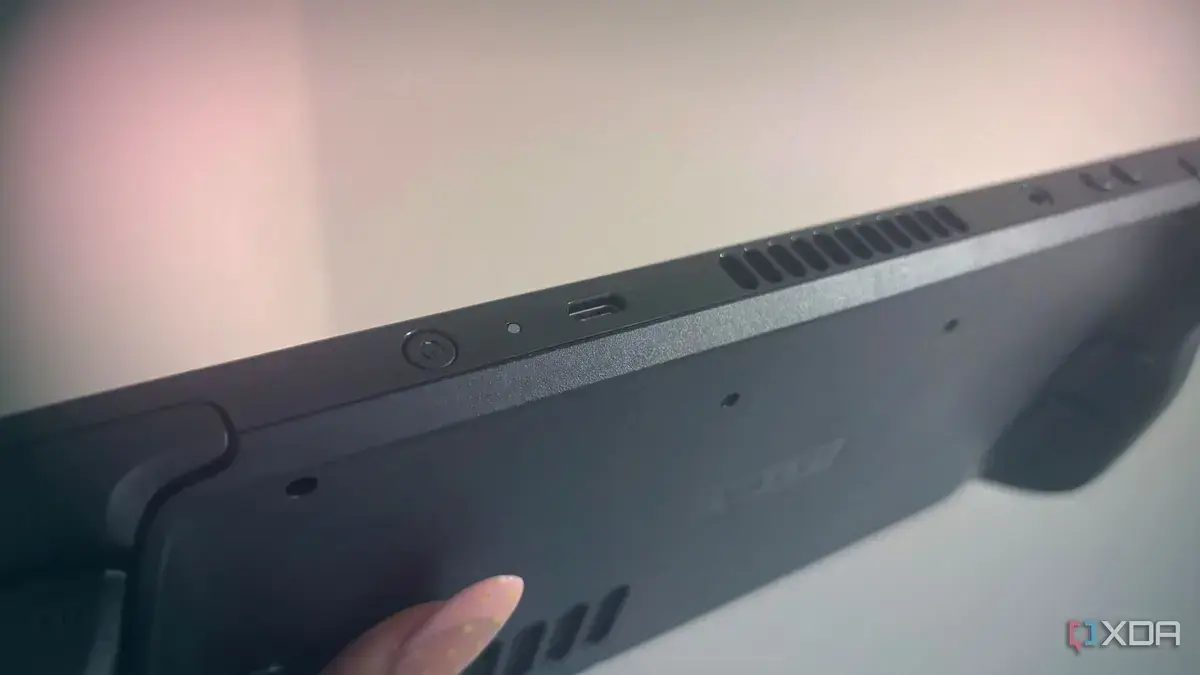
How Can You Maximize Your Steam Deck's USB-C Port?
The Steam Deck, a handheld gaming device from Valve, features a USB-C port that offers more than just charging capabilities. This port enhances the device's functionality and user experience, making it a versatile tool for gamers and tech enthusiasts alike. Beyond powering the device, the USB-C port allows for various connections. Users can connect external displays, transfer data, and even use it for audio output. This flexibility transforms the Steam Deck into a mini gaming console, enabling users to enjoy their favorite titles on larger screens.
Breaking news
 Canonical’s Web Presence Hit by Second DDoS Assault This Year
 Loops AI Secures $3.5 Million to Power a New AI Operating System for E‑Commerce
 Winverse AI Secures Tens of Millions in Seed Funding from DeepSeek and Long‑Z
 Google Adds Pixel 9 Series to Certified Refurbished Store
The Steam Deck’s USB-C port supports DisplayPort 1.4, allowing for high-resolution output to monitors and TVs. Gamers can connect the device to a 4K display, taking advantage of its powerful hardware for a more immersive experience. Additionally, the ability to connect peripherals like keyboards and mice enhances productivity, making the Steam Deck suitable for more than just gaming.
Moreover, the port supports various accessories, including docking stations. These docks can provide additional ports and connections, further expanding the Steam Deck's capabilities. For instance, users can connect multiple USB devices or even an Ethernet cable for a stable internet connection, improving online gaming experiences.
Many users may wonder how to best utilize this versatile port. For starters, connecting the Steam Deck to a larger screen can significantly enhance gameplay. The device is capable of running games at impressive frame rates, making it ideal for high-definition displays.
Frequently Asked Questions
Furthermore, using the USB-C port for data transfer can streamline workflows for those who use the Steam Deck for content creation or streaming. Quick file transfers between the device and other hardware can save time and improve efficiency.
As the gaming landscape continues to evolve, the Steam Deck's USB-C port positions it as a competitive device. It not only serves gamers but also appeals to a broader audience seeking a multifunctional handheld device. The potential for this port may encourage more users to explore its capabilities, ultimately enhancing the overall gaming experience.
What types of devices can I connect to the Steam Deck’s USB-C port? You can connect a variety of devices, including external monitors, keyboards, mice, and docking stations. This versatility allows for an enhanced gaming and productivity experience.
Can I charge my Steam Deck while using the USB-C port for other functions? Yes, the USB-C port supports charging while simultaneously using it for data transfer or connecting to external displays. This feature ensures that you can keep your device powered while maximizing its functionality.
