How Does Local Transcription Affect Developer Workflows
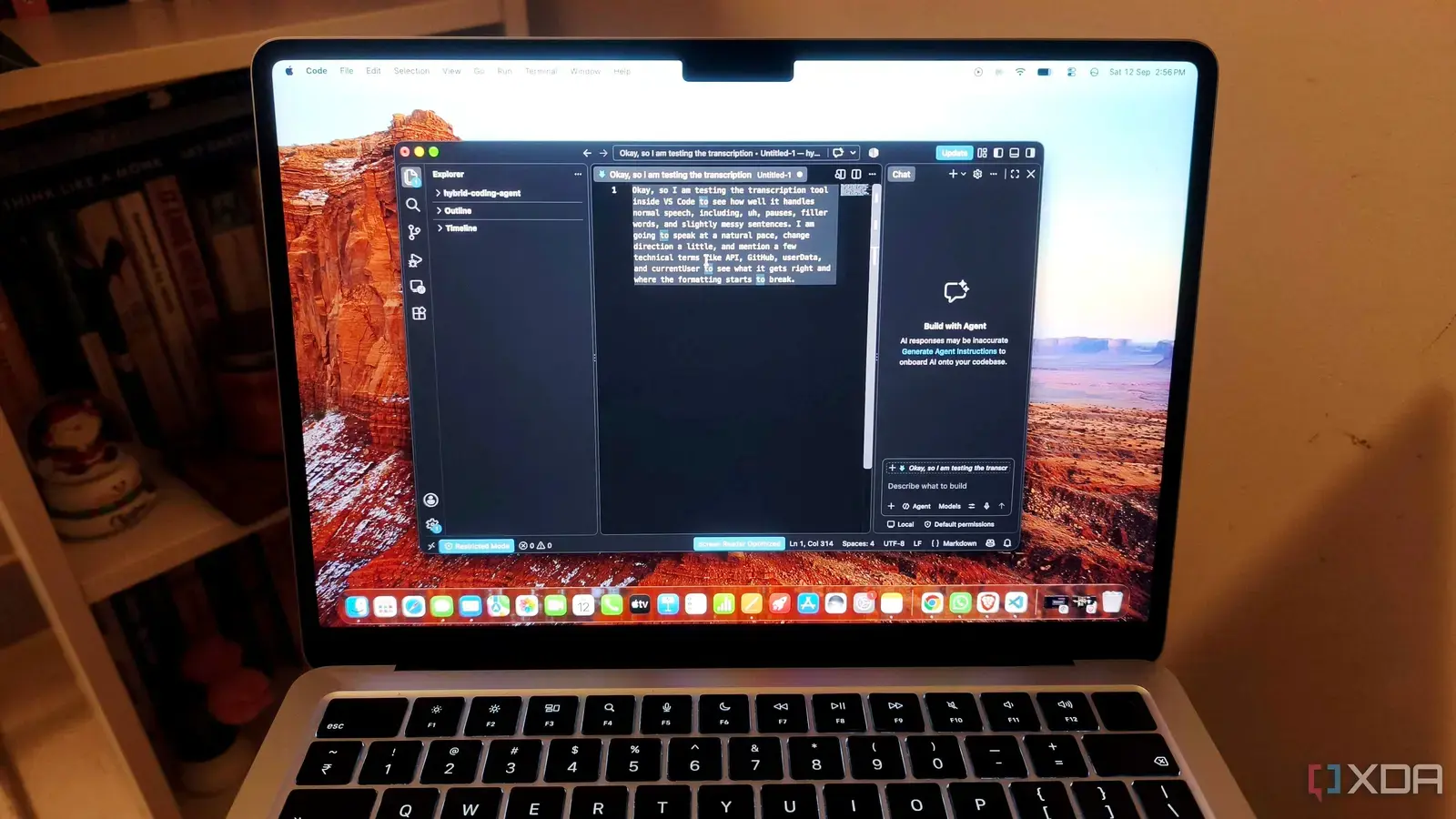
A developer recently discovered a built-in speech recognition feature inside Visual Studio Code that transcribes voice input without sending data to external servers. The model operates entirely on the user's machine, ensuring privacy by keeping all audio processing local. This functionality was uncovered while testing accessibility tools within the editor, revealing a capability many users were unaware existed. The discovery highlights how powerful on-device AI can be integrated into everyday development tools without relying on cloud connectivity.
Breaking news
 Canonical’s Web Presence Hit by Second DDoS Assault This Year
 Loops AI Secures $3.5 Million to Power a New AI Operating System for E‑Commerce
 Winverse AI Secures Tens of Millions in Seed Funding from DeepSeek and Long‑Z
 Google Adds Pixel 9 Series to Certified Refurbished Store
The speech recognition system uses a lightweight machine learning model designed for real-time transcription, optimized to run efficiently on standard hardware. Unlike cloud-based alternatives, it does not require an internet connection, making it ideal for secure environments or areas with poor connectivity. Users can activate it through VS Code’s command palette, where it listens to microphone input and converts speech to text in supported languages. Early tests show high accuracy in transcribing clear speech, particularly in quiet settings, with minimal latency. The model appears to be part of Microsoft’s broader effort to embed privacy-preserving AI features directly into its products, reducing dependence on remote servers while maintaining usability.
Can This Feature Replace Existing Voice Tools
By eliminating the need to send voice data online, the feature addresses growing concerns about data privacy in software development. Developers working on sensitive projects can now use voice commands or dictation without risking exposure of proprietary code or internal discussions. This is especially valuable in industries like finance or healthcare, where compliance regulations restrict data leaving secure networks. The offline capability also ensures consistent performance regardless of network conditions, allowing uninterrupted use during travel or in remote locations. Integration with VS Code’s existing accessibility settings means users can customize triggers, language models, and output formats to suit their workflow preferences.
While the built-in model offers strong privacy advantages, it may not yet match the language coverage or accent adaptability of larger cloud-based services like Google Speech-to-Text or Azure Cognitive Services. However, its seamless integration within the editor eliminates the need for third-party extensions or API keys, simplifying setup for casual use. For routine tasks such as commenting code, writing documentation, or navigating menus via voice, it provides a convenient and secure alternative. Microsoft has not officially announced the feature, suggesting it may still be in an experimental phase, but its presence in the codebase indicates potential for wider rollout in future updates. Users interested in trying it can enable it through experimental flags in VS Code’s settings, though documentation remains sparse.
Is the speech recognition model available in all versions of VS Code? It appears to be present in recent insider builds and may require enabling experimental features, but it is not yet visible in stable releases for all users.
Frequently Asked Questions
Does the model support multiple languages or accents? Initial testing shows support for major languages like English, but full language and accent coverage has not been confirmed, and performance may vary based on input quality.
Can users train or customize the model locally? There is no current option to retrain or modify the model, as it is a fixed component embedded within the application, though future updates might allow greater flexibility.