How Local AI Training Changes Development Workflows
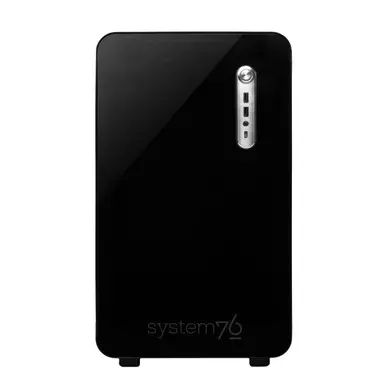
System76 has introduced the Thelio Mira AI, a Linux-based workstation designed specifically for artificial intelligence development, featuring up to 192GB of GPU memory and dual NVIDIA RTX Pro 6000 graphics cards. Built for developers who need to train and fine-tune large models without relying on cloud services, the system combines high-core-count AMD processors with extensive DDR5 RAM to handle demanding AI workloads locally. The workstation is positioned as an affordable alternative to cloud-based AI infrastructure, targeting researchers, engineers, and small teams seeking full control over their development environment.
Breaking news
 Why Authentic Social Signals Matter for AI Training Data Quality
 How Passive Mobile Execution Is Reshaping Digital Labor Economics
 Algorithmic Transparency: How Quantitative Discipline Reshapes Digital Asset Markets
 Why Technical SEO Scanning Is Essential for Modern Web Performance
The Thelio Mira AI supports configurations with a 16-core AMD Ryzen 9000 Series CPU, up to 192GB of DDR5 RAM, and dual NVIDIA RTX Pro 6000 GPUs, providing a total of 192GB of GPU memory across both cards. This setup enables users to run large language models, diffusion models, and other compute-intensive AI tasks directly on-premise. By keeping data and processing local, developers can avoid latency, security concerns, and ongoing cloud costs associated with external AI platforms. System76 emphasizes that the workstation is optimized for Linux distributions commonly used in AI development, ensuring compatibility with popular frameworks like TensorFlow, PyTorch, and JAX.
What Are the Trade-offs of On-Premise AI Infrastructure?
Training AI models locally allows for faster iteration cycles, as developers can immediately test changes without waiting for cloud job queues or incurring per-hour fees. This is particularly beneficial for experimental work where frequent adjustments are needed. The high GPU memory capacity reduces the need for model sharding or quantization, preserving model fidelity during training. Developers working on multimodal AI, large vision models, or custom fine-tuning of LLMs can now experiment with larger batch sizes and longer sequences than previously feasible on consumer-grade hardware. The workstation also supports containerized environments, making it easier to reproduce results across teams.
While local workstations eliminate recurring cloud expenses, they require significant upfront investment and ongoing maintenance, including power, cooling, and hardware upgrades. Scaling beyond a single node is more complex than in cloud environments, where resources can be elastically allocated. However, for teams with predictable workloads or strict data governance requirements, the total cost of ownership over time may favor on-premise solutions. System76 notes that the Thelio Mira AI is designed for quiet operation and energy efficiency, helping mitigate some of the traditional drawbacks of dense GPU workstations in office settings.
What operating systems are supported on the Thelio Mira AI? The workstation ships with Ubuntu Linux pre-installed but is compatible with other major Linux distributions commonly used in AI development, including Pop!_OS, Fedora, and Rocky Linux, ensuring flexibility for users with specific software preferences.
Frequently Asked Questions
Can the GPU memory be used as a single pool for model training? Yes, with NVIDIA’s NVLink technology connecting the two RTX Pro 6000 GPUs, the system can present a unified 192GB GPU memory space, allowing large models to be trained without manual memory partitioning across cards.
Is the Thelio Mira AI suitable for inference as well as training? Absolutely, the workstation is optimized for both training and inference tasks, enabling developers to deploy and test models locally after training, reducing reliance on external APIs for validation and debugging.