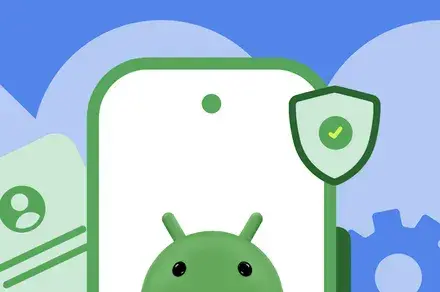
Simplifying App Installation
Google has begun rolling out its new sideloading feature, which was first announced in March. This update allows power users to install apps from unverified developers on certified devices without needing to use ADB. The change comes as part of Google's ongoing efforts to enhance app security on Android devices. Previously, users had to navigate complex procedures to sideload apps, but this new flow simplifies the process significantly. Developers are now required to verify their identity before their apps can be installed on certified devices, ensuring a higher level of security.
Breaking news
 Why Authentic Social Signals Matter for AI Training Data Quality
 How Passive Mobile Execution Is Reshaping Digital Labor Economics
 Algorithmic Transparency: How Quantitative Discipline Reshapes Digital Asset Markets
 Why Technical SEO Scanning Is Essential for Modern Web Performance
The advanced sideloading flow is designed to make app installation more accessible for tech-savvy users. By eliminating the need for ADB, the process becomes less daunting. Users can now directly sideload apps, which can be particularly useful for those who want to test new applications not yet available on the Google Play Store.
This move is part of a broader trend within the tech industry, where companies are focusing on user experience while maintaining security. By streamlining the sideloading process, Google aims to balance the need for flexibility with the importance of protecting users from potentially harmful software.
What Are the Security Implications of This Change?
While the new sideloading feature offers convenience, it raises questions about security. Allowing users to install apps from unverified developers could expose devices to malware or other risks. Google’s requirement for developer verification is a step towards mitigating these concerns, but it remains to be seen how effective this measure will be in practice.
The tech giant is aware of the potential risks and is likely monitoring the situation closely. Users are encouraged to remain cautious when installing apps from outside the Play Store, as not all unverified applications are safe.
In conclusion, Google's rollout of the new sideloading flow marks a significant shift in how users can interact with apps on their devices. While it enhances flexibility, users must remain vigilant about security risks.
Frequently Asked Questions
What is sideloading? Sideloading refers to the process of installing applications on a device from sources other than the official app store. This can include apps from developers who are not verified by Google.
Why is developer verification important? Developer verification helps ensure that apps are created by legitimate sources, reducing the risk of malware and protecting users' devices from potential threats.
How does this change affect regular users? For regular users, this update may not have a significant impact unless they are interested in installing apps not available on the Google Play Store. However, it does provide more options for those who want to explore unverified applications.