Enhancing Workflow Efficiency
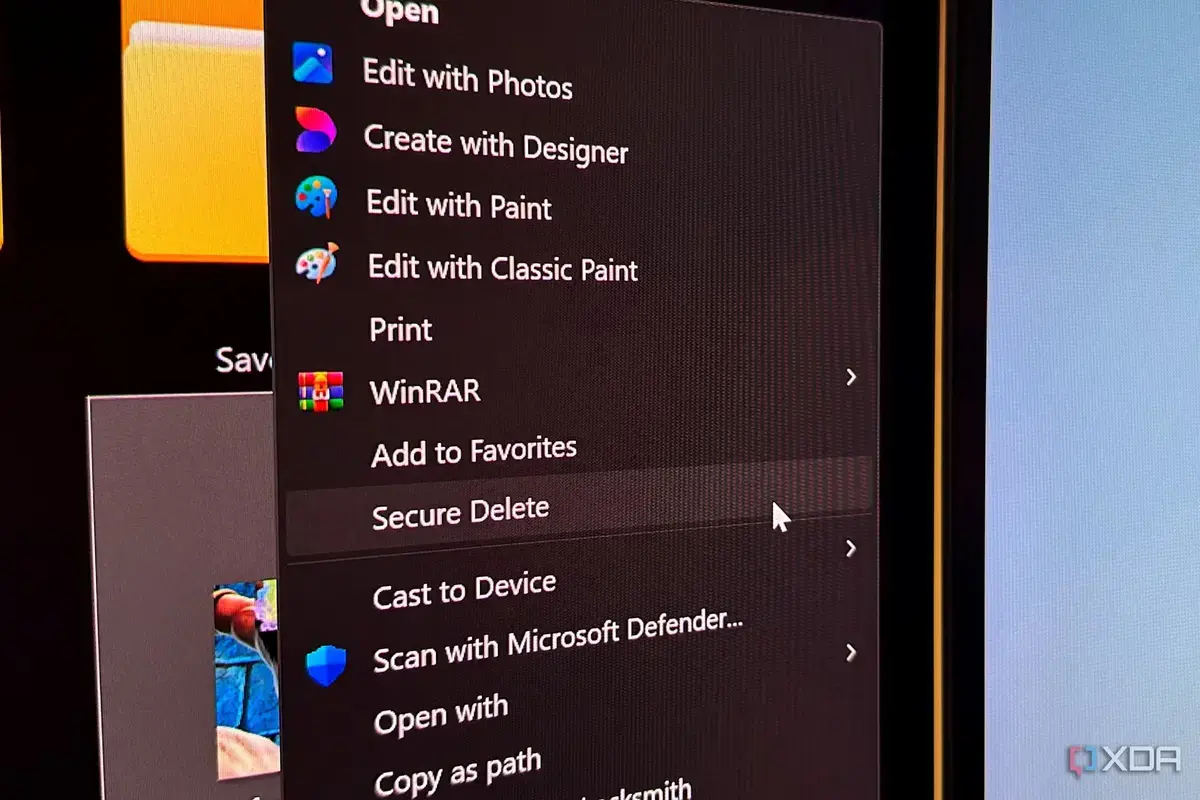
Microsoft is reportedly preparing a significant update to the Windows 11 context menu to resolve long-standing performance issues. Users have frequently complained about the interface feeling sluggish and unresponsive since the operating system launched. The upcoming changes aim to streamline navigation while introducing long-awaited customization options for a more personalized desktop experience.
Breaking news
 Tracking AI Search Visibility for Enterprise Brands
 Singapore Expands Semiconductor Sector Amid AI Surge
 Insurance Tech Startup Outmarket Secures $34.5 Million in Series B Funding
 DeepSeek Partners with Huawei to Build Programming Tools for Ascend Chips
The current right-click menu often suffers from latency, particularly when loading numerous app extensions. Engineers are now working to optimize the underlying code to ensure the menu appears instantly upon interaction. By refining how the system handles shell extensions, the company hopes to eliminate the delays that have frustrated power users.
Beyond speed improvements, the update will likely grant users greater control over the menu's layout. Early reports suggest that Microsoft intends to allow manual arrangement of frequently used shortcuts. This shift marks a departure from the rigid, simplified design that previously forced users to click an extra button to view legacy options.
Will These Changes Finally Satisfy Power Users?
The goal is to balance a clean aesthetic with the functional depth required by professional workflows. By allowing users to pin specific commands or remove unnecessary entries, the interface will become more efficient. This approach acknowledges that a one-size-fits-all menu often hinders productivity for those who rely on specialized software tools.
The integration of these features could restore confidence in the Windows interface design. Many enthusiasts felt the initial Windows 11 release prioritized visual simplicity over actual usability. If the performance remains snappy while offering deep customization, it would represent a major win for the user community.
Frequently Asked Questions
The company has not yet provided a specific release date for these enhancements. However, beta testers are expected to receive access to these tools in the coming weeks. If successful, this update could serve as a blueprint for how Microsoft manages future interface adjustments based on direct community feedback.
Why has the Windows 11 context menu been slow? The menu often experiences lag because it must load various shell extensions and background processes every time a user right-clicks. This process can become bogged down when many applications attempt to add their own entries to the list.
What customization options are expected? Users will likely gain the ability to organize their shortcuts and remove clutter from the menu. This allows individuals to prioritize the tools they use most often, making the interface faster and more intuitive for their specific needs.