Hidden Controllers and BIOS Settings
Most modern motherboards include Thunderbolt controllers hidden in the fine print of their specifications, leaving consumers unaware of the high-speed connectivity option already present in their systems. This revelation affects anyone who purchased a desktop PC in the last three years, as manufacturers quietly integrated the technology without prominent marketing.
Breaking news
 Town AI Secures $108 Million Series B, Valued at $1 Billion After $55 M Pre‑Series
 Apple Prepares for Major Product Launch Event on October 28
 Apple Releases Release Candidates for watchOS, tvOS and visionOS 27.2
 Apple Limits iPhone Duo and iPhone 18 Pro Max to Reservation-Only Sales in Japan and South Korea
The disconnect occurs because motherboard makers embed Thunderbolt support through chipset-level integration rather than dedicated rear ports. Users must check their BIOS settings or motherboard manual to confirm activation, as the feature often remains disabled by default. This design choice allows manufacturers to offer the capability without increasing production costs or redesigning case layouts.
Thunderbolt controllers typically reside as small chips on the motherboard itself, connected to the system's PCIe lanes. While the physical ports may be absent from the back panel, the underlying infrastructure supports data transfer speeds up to 40 Gbps when properly configured. Many users discover this capability only when troubleshooting peripheral compatibility issues or upgrading their systems.
Manufacturers like ASUS, MSI, and Gigabyte have included Thunderbolt support across various motherboard tiers, from budget to enthusiast models. However, the feature requires specific processors with Thunderbolt-compatible architecture, primarily recent Intel Core and AMD Ryzen series chips. Users must enable the setting in UEFI firmware, which often defaults to disabled to prevent potential conflicts with legacy hardware.
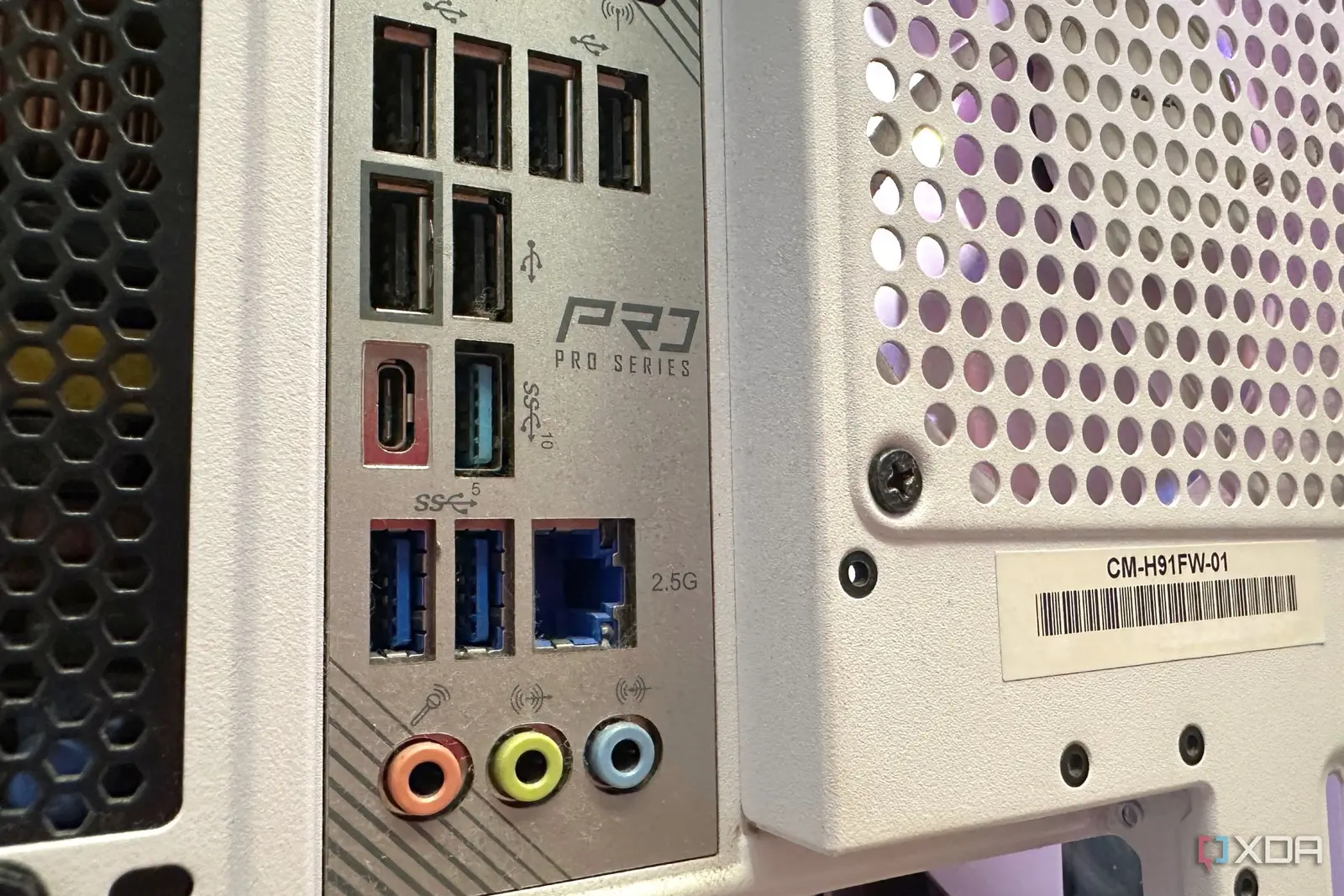
Why Aren't Ports Standard on Back Panels?
The absence of visible Thunderbolt ports stems from cost considerations and market segmentation strategies. Adding physical USB-C connectors increases manufacturing expenses, while many consumers remain unfamiliar with Thunderbolt's benefits. Instead, companies provide header pins on motherboards for optional expansion brackets, allowing users to add ports later if needed.
This approach also prevents confusion between Thunderbolt and standard USB-C connections, as the technologies share similar form factors but different performance capabilities. Users seeking maximum data transfer speeds must purchase separate Thunderbolt accessories or upgrade to premium motherboard models with integrated rear ports.
The hidden nature of Thunderbolt support creates opportunities for cost-conscious builders to access enterprise-level connectivity without premium pricing. However, it also generates frustration among users who expect advertised features to be immediately accessible without technical configuration.
Frequently Asked Questions
Looking ahead, Thunderbolt adoption will likely increase as peripheral costs decrease and consumer awareness grows. Future motherboards may include visible ports as standard, especially with Intel's Thunderbolt 5 specification promising even faster speeds. Until then, checking motherboard specifications carefully remains essential for users requiring high-performance external device connectivity.
Can I use Thunderbolt devices without a visible port on my motherboard? Yes, if your motherboard includes Thunderbolt headers, you can install an expansion bracket with Thunderbolt ports. Check your motherboard manual for available headers and BIOS settings to enable the feature.
How do I know if my motherboard supports Thunderbolt? Review your motherboard's official specifications online or consult the user manual for Thunderbolt controller mentions. You can also check BIOS/UEFI settings for Thunderbolt configuration options during system boot.
What processors are required for Thunderbolt support? Thunderbolt requires compatible processors with integrated PCIe lanes supporting the technology. Most recent Intel Core processors and AMD Ryzen 7000 series CPUs include Thunderbolt support, though older chips may lack necessary architecture.

