Interacting with Media Through Gemini Integration
The integration of Gemini in Chrome goes beyond simple web pages, allowing users to ask questions about research articles, request explanations for complex concepts, or locate relevant segments in YouTube courses. A key innovation is support for audio and video files hosted outside YouTube, including podcasts. After playing a media file, the virtual assistant can identify key points, extract specific information, or clarify confusing passages. For example, a student reviewing a recorded lecture can ask the system to jump directly to a discussion of a particular exam topic, avoiding the need to replay the entire recording. However, Google notes this analysis works only after media playback, without confirming real-time processing during live lectures or podcasts. Students should always verify Gemini-generated summaries against the original source, especially in technical subjects or graded assignments, as AI output may contain errors or omissions.
Breaking news
 SolidCraft Launches Open-Source Parametric CAD Tool Written Entirely in Rust
 UCLA PhoneBot Turns Discarded Smartphones Into Walking Robot Companions
 Nvidia's AI Chip Shipments to China Drop Sharply in First Half of 2026
 Google Redesigns Gemini Chat with Integrated Task Features
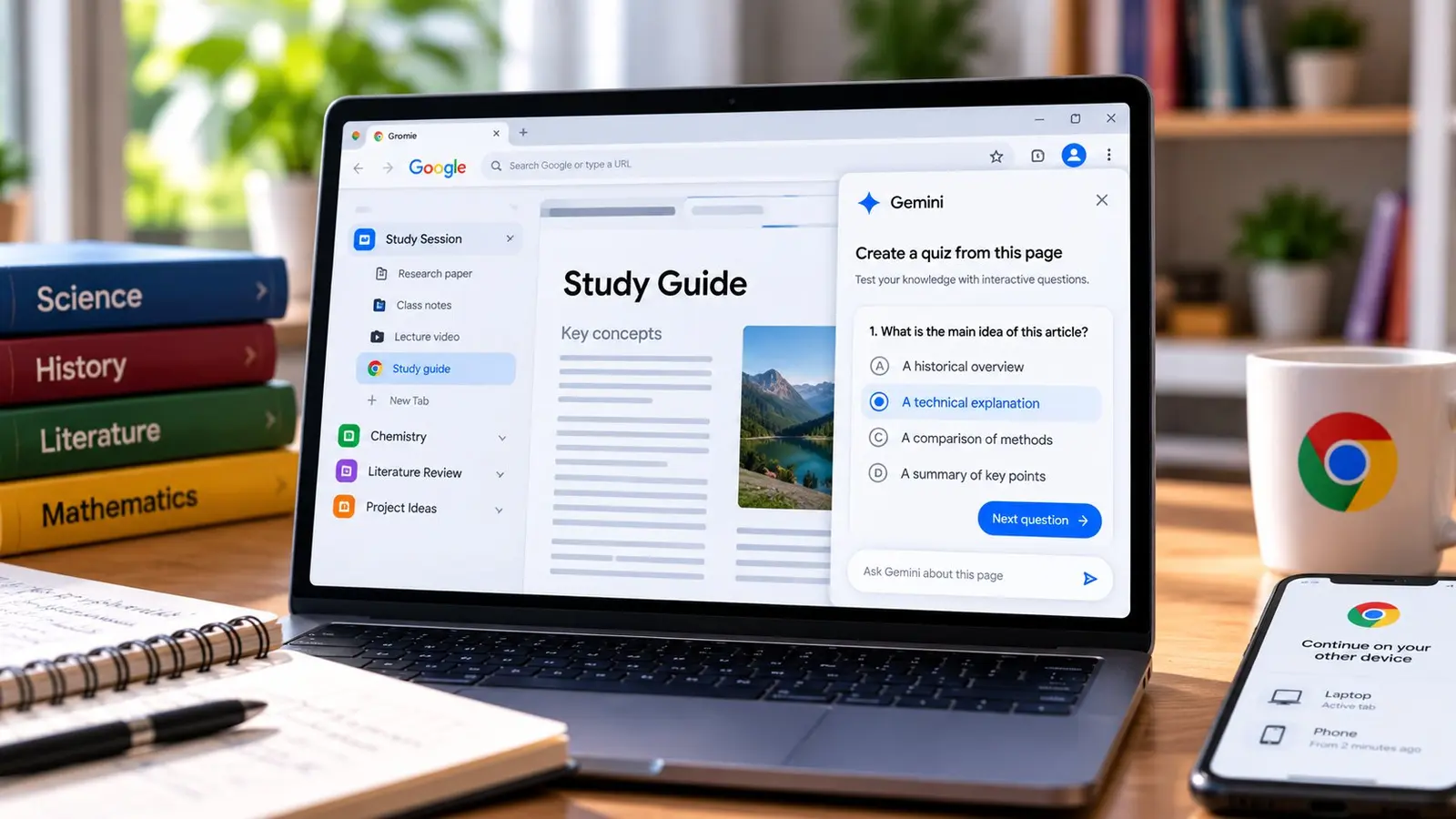
This feature offers an efficient method for self-evaluation by generating practice questions based on the active tab’s content, whether it contains notes in Google Docs, scientific articles, or videos. For instance, a student preparing for a history exam can open class notes and request quiz items covering that material. Although Google previously mentioned this capability, the September announcement introduces a new interactive interface with a specified rollout plan. Currently, the quiz generator is available only in English on desktop devices in the United States and India. Google plans to expand to other regions and add mobile support in the coming months but has not set a firm date. It remains unclear whether the tool works with school-managed Chrome accounts or what institutional policies might affect access. Students should confirm the feature’s presence in their browser before relying on it for assignments.
Generating Interactive Quizzes for Self-Assessment
As with any AI-generated content, questions and answers may include mistakes or miss key details, so they should not be treated as absolute truth but verified against course materials.
Organizing Digital Resources with Tab Groups and Split View
Chrome helps organize digital resources through tab groups and split view. Tab groups allow users to categorize open pages by subject, course, or project, reducing visual clutter and improving workflow. This structure is essential for managing multiple information sources simultaneously. Alongside organization, the browser integrates ways to make reading long articles more accessible. Reading Mode removes distracting page elements, focusing solely on text, while the read-aloud function lets users listen to content, which can be helpful when eyes are tired from screen use. These features aid in following the logical flow of complex academic texts.
Continuing Study Sessions Across Devices
A major advantage is the ability to continue study sessions on another device. Chrome syncs progress, allowing users to resume research or review materials regardless of switching from laptop to phone or from a work computer to a personal one. This continuity is crucial for students who frequently alternate between different work environments.
In conclusion, Chrome’s feature set addresses core needs of modern students: from intelligent media processing via Gemini to strict tab organization and facilitated reading. While some tools like interactive quizzes are still in gradual rollout across regions and languages, others are already available or being expanded. Exact availability may vary by device type, account configuration, and browser settings, so users should periodically check for updates. Integrating these technologies promises to transform how information is assimilated, making studying more structured, faster, and adapted to today’s digital rhythm.