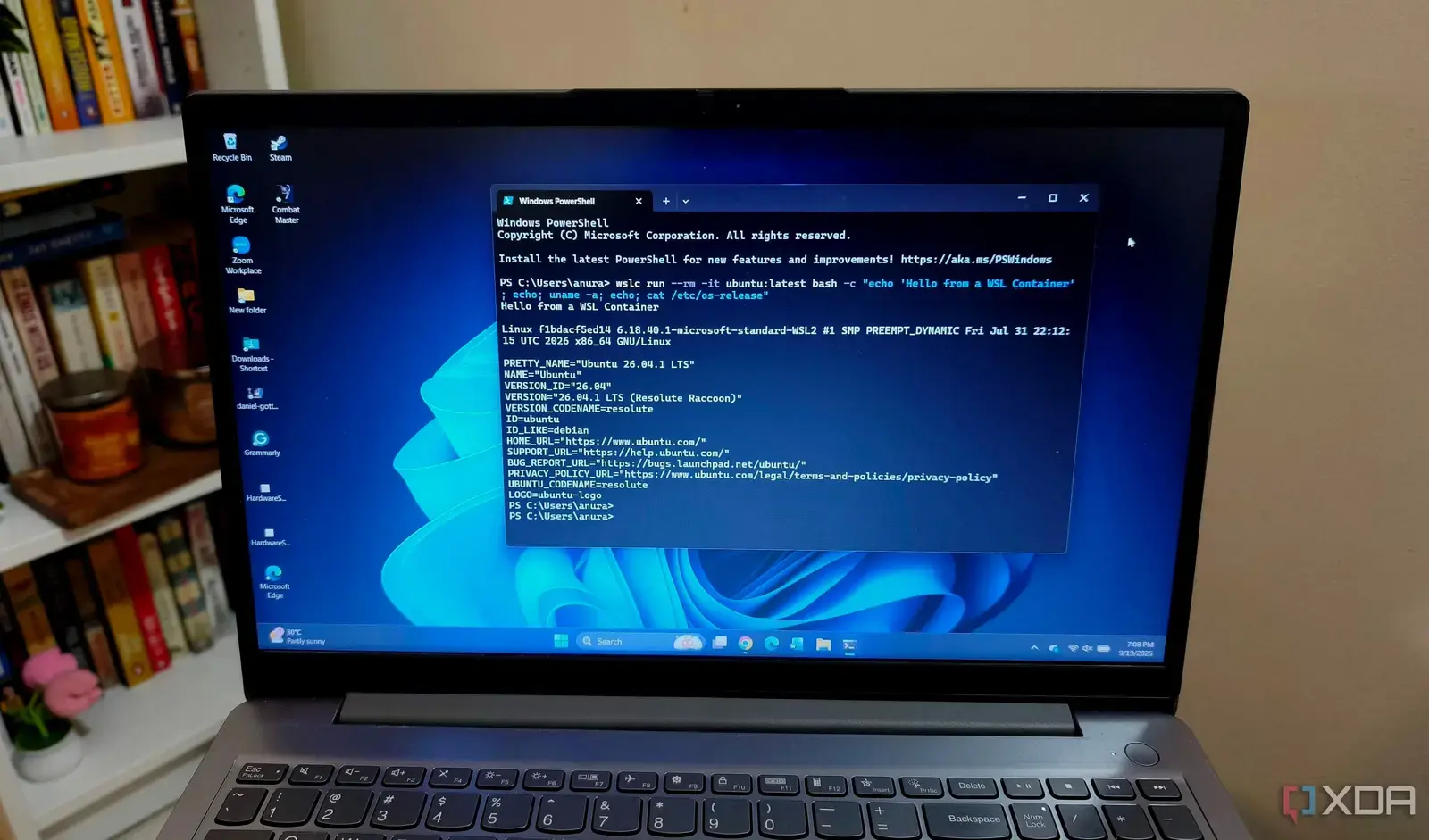
How did application compatibility hold up during the switch?
Anurag Singh switched from Docker to Windows Subsystem for Linux containers in his home lab setup in September 2026, seeking a lighter alternative for local development and testing. The change aimed to simplify workflows by leveraging built-in Windows features without additional virtualization overhead. Early results showed minimal disruption to core services, with most applications adapting smoothly to the new environment.
Breaking news
 Trump Orders Federal Agencies to Adopt „Super Intelligence” Terminology
 The Silicon Valley Accountability Gap
 Running a Local AI Model on a Phone Handles Most Chat Prompts
 Google Photos Could Soon Offer a Fresh Start with Ask Photos Feature
The transition revealed that network configuration posed the initial challenge, particularly port forwarding between WSL2 instances and the host system. Services relying on dynamic port allocation or complex firewall rules required manual adjustment, unlike Docker’s automated handling. Storage persistence also needed rethinking, as WSL’s file system access differs from Docker volumes, prompting a review of data backup strategies for databases and configuration files.
What adjustments were necessary for ongoing operations?
Most containerized applications, including web servers and development tools, ran without modification after rebuilding images for the WSL environment. However, GUI-dependent tools encountered display server issues, requiring additional setup for X11 forwarding or remote desktop solutions. Performance benchmarks showed comparable startup times, though I/O-intensive workloads exhibited slight variability due to differences in file system caching between the two platforms.
Logging and monitoring pipelines required updates to point to new socket paths and service endpoints within WSL. Automation scripts previously tuned for Docker commands were rewritten to use WSL-specific container management tools. Despite these tweaks, the homelab achieved stable operation within a week, with no critical downtime reported during the migration phase.
Did switching to WSL containers reduce system resource usage? Yes, idle memory consumption dropped by approximately 15% compared to Docker Desktop, primarily due to eliminating the extra virtual machine layer.
Frequently Asked Questions
Are WSL containers suitable for production-like testing? They provide a realistic Linux environment for development and staging, though production parity still favors dedicated VMs or cloud instances for exact kernel matching.
How difficult is it to revert back to Docker if needed? Reverting is straightforward since images and configurations remain intact; Docker can be reinstalled and pointed to existing workloads without data loss.